

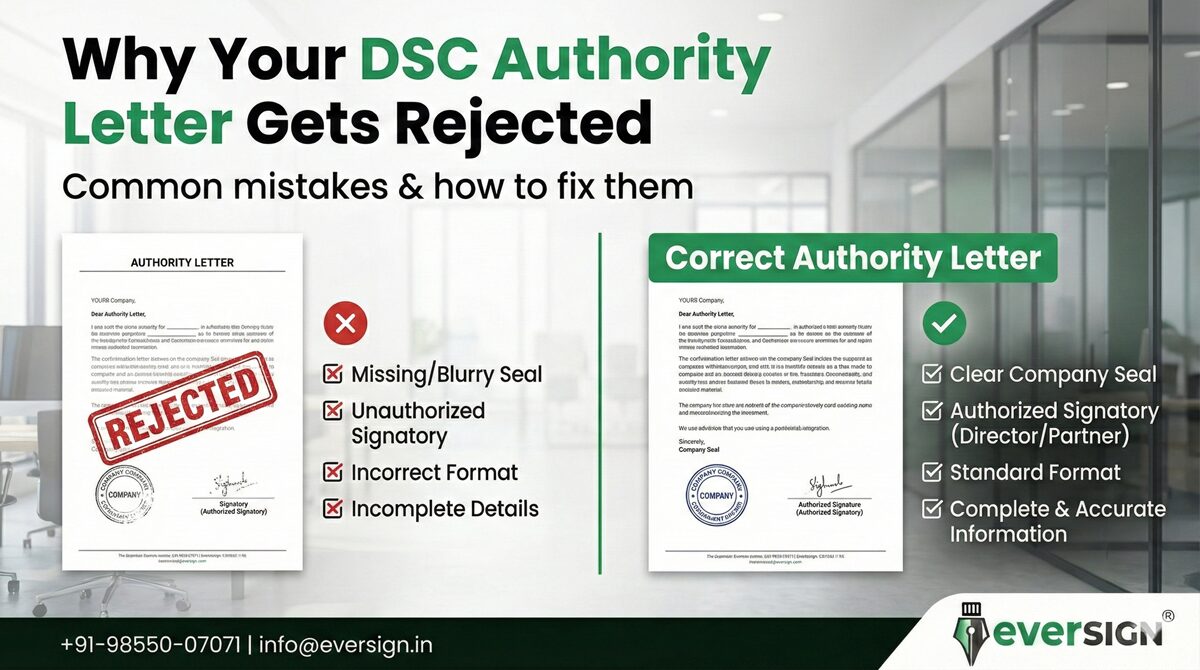
If your Digital Signature Certificate (DSC) application was rejected due to an Authority Letter issue, you are not alone.
Authority letter rejections are one of the most common reasons for DSC delays — especially for company, organization, and tender DSCs.
The good news?
Most of these problems are easy to fix once you know the exact rules.
Let’s break it down clearly.
What Is an Authority Letter?
An Authority Letter is a document that authorizes a person to apply for a DSC on behalf of:
-
A company
-
An organization
-
A government department
-
A firm or LLP
It confirms that the applicant is officially permitted to obtain a DSC for specific purposes like:
-
GST
-
MCA
-
Tender
-
DGFT
-
Trademark
-
Income Tax
-
E-Procurement
Why Authority Letters Get Rejected
Most rejections happen due to format mistakes, missing details, or unauthorized changes.
Here are the real reasons.
1. Using a Modified or Custom Format
Certifying Authorities (CAs) like:
-
eMudhra
-
Capricorn
-
IDSign
-
NSDL
-
Sify
Only accept their official authority letter format.
If you:
-
Edit the wording
-
Change the layout
-
Use your own template
The letter may be rejected.
Fix
Always use the exact format provided by your DSC service provider.
2. Missing Signature or Company Seal
An authority letter must include:
-
Authorized signatory’s signature
-
Company seal / stamp
-
Date
If any of these are missing, the application can fail.
Fix
Sign the letter physically and apply the official stamp clearly.
3. Wrong Authorized Signatory
The person signing the authority letter must be:
-
Director / Partner / Proprietor
-
HR / Authorized Officer
-
Department Head
If the signer is not authorized, the letter will be rejected.
Fix
Ensure the signer has legal authority in the organization.
4. Name Mismatch with Documents
If the name in the authority letter does not match:
-
Aadhaar
-
PAN
-
Company records
Your DSC application may fail.
Fix
Use exact spelling across all documents.
5. Incorrect Purpose Mentioned
The authority letter must clearly mention the DSC purpose, such as:
-
GST Filing
-
MCA Compliance
-
Tender Submission
-
DGFT
-
Trademark
If the purpose is missing or incorrect, rejection is likely.
Fix
Mention the exact DSC usage purpose.
6. Old or Undated Authority Letter
Some CAs do not accept:
-
Undated letters
-
Very old letters
Fix
Always use a fresh, recent authority letter.
7. Scanned or Low-Quality Copies
Blurred scans, poor lighting, or unclear stamps can cause rejection.
Fix
Use a clear, high-resolution scan.
Example of a Correct Authority Letter (Simple Format)
(Your provider will give the official version, but this shows what matters)
Authority Letter Checklist
Before submitting, confirm:
✔ Official CA format used
✔ Authorized signatory signed
✔ Company seal applied
✔ Purpose mentioned
✔ Correct name spelling
✔ Clear scan
✔ Recent date
How EverSign Makes This Easy
At EverSign, we:
✅ Provide correct authority letter format
✅ Verify signatory details
✅ Check name matching
✅ Guide stamping & signing
✅ Prevent rejections
✅ Speed up DSC issuance
We don’t just process DSCs —
we make sure they get approved.
Need Help With Your Authority Letter?
📞 Call / WhatsApp: +91-98550-07071
📧 Email: [email protected]
🌐 Website: www.eversign.in
Our experts will guide you step-by-step.
Final Advice
Authority letter mistakes can delay your DSC,
but they are 100% preventable.
Use the right format.
Follow the rules.
And if you’re unsure —
EverSign is here to help.
