

Most customers begin with a purpose rather than a product name. They may know that they need a DSC for ITR, GST, MCA, GeM, a government tender, DGFT, ICEGATE, trademark filing, EPFO or another business requirement—but they may not know which DSC configuration is appropriate.
Questions quickly follow. Is a Signature-only DSC sufficient, or is a Signature and Encryption Combo DSC required? Should the applicant be treated as an Individual or an Organisation? Is a new secure USB token needed? Which validity should be selected? Which available Certifying Authority option matches the requirement?
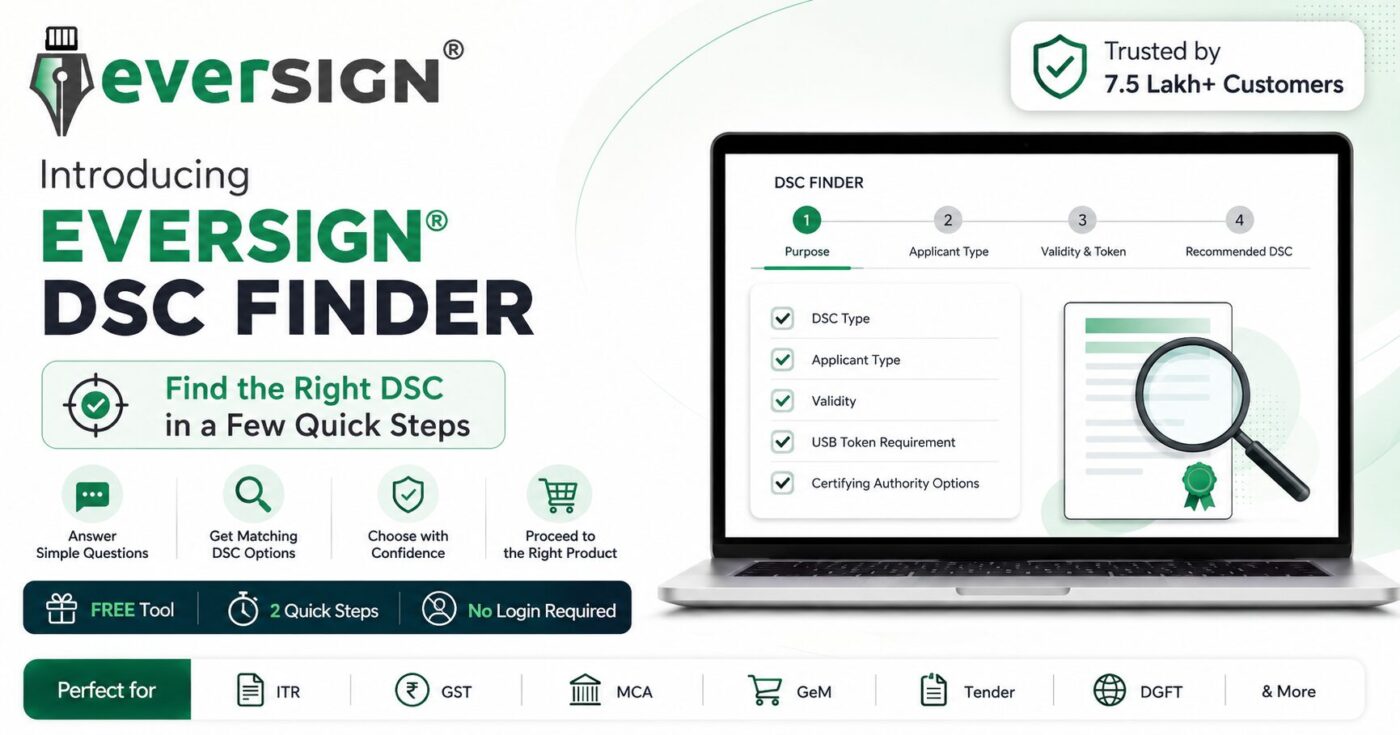
EVERSIGN® DSC Finder was created to organise these decisions before checkout. Instead of asking visitors to manually browse a long product catalogue, the tool asks guided questions and displays matching DSC options available through EVERSIGN.
Why EVERSIGN built DSC Finder
Digital Signature Certificate products contain several important variables. A product can differ by certificate type, applicant capacity, validity, token inclusion, supported use case and Certifying Authority. Product titles may look similar even when one of these details changes.
That creates a difficult buying experience, especially for first-time customers. A visitor may compare prices before understanding whether two products are actually equivalent. Another may select an Individual DSC even though the intended portal process requires an Organisation-linked applicant. A tender participant may assume that every tender uses the same type of DSC even though portal requirements can differ.
EVERSIGN built the Finder to reduce this uncertainty at the beginning of the purchase journey. It is not intended to replace official portal instructions or human support. Its purpose is to make the initial selection clearer, faster and more structured.
What is EVERSIGN® DSC Finder?
EVERSIGN® DSC Finder is a free, guided product-selection tool available on the EVERSIGN website. Customers answer a few straightforward questions about their intended purpose, applicant type, preferred validity and USB-token requirement.
Based on the information selected, the Finder displays matching Digital Signature Certificate options available through EVERSIGN. Customers can compare the recommendations, review prices and proceed to the product that best reflects the information they provided.
Purpose-first selection
Start with where or why the DSC is needed instead of starting with a technical product name.
Applicant-type guidance
Consider whether the certificate is required in an Individual, Organisation or another supported capacity.
Validity and token choice
Review the preferred certificate validity and whether a compatible new USB crypto token is needed.
Matching EVERSIGN products
View relevant DSC and Certifying Authority options instead of manually searching the full catalogue.
How EVERSIGN® DSC Finder works
The Finder converts the most important product-selection questions into a short guided flow.
Choose the use case or category for which the Digital Signature Certificate is required.
Indicate whether the DSC is for an Individual, Organisation or another supported applicant category.
Select the desired validity and confirm whether a new secure USB token is required.
Compare matching products and available Certifying Authority options, then proceed to the relevant product page.
Ready to try it?
Use EVERSIGN® DSC Finder to receive matching recommendations based on the information you select. The tool is free and does not require an account.
What the DSC Finder checks before showing recommendations
A correct DSC selection involves more than choosing the cheapest listing. The Finder brings the following factors into the recommendation flow.
1. Intended purpose or platform
The first question is why the certificate is required. Common examples include tax filing, corporate filing, procurement, import-export compliance, customs-related activity, intellectual-property filing and organisational use.
2. Certificate category
Depending on the selected purpose, the relevant product category may be a Signature-only DSC, Signature and Encryption Combo DSC, DGFT DSC or another supported category.
3. Applicant capacity
The tool considers whether the certificate holder will use the DSC personally or as an authorised representative of an organisation. This distinction can affect the correct product and application flow.
4. Validity
Customers can select from the available validity options. The Finder uses that choice to narrow the product recommendations.
5. USB-token requirement
A customer who does not already have a compatible working token may need a product that includes one. Customers who already possess a suitable token may consider a without-token option, subject to compatibility and the applicable Certifying Authority process.
6. Available Certifying Authority options
Where multiple matching products are available, the Finder helps customers compare EVERSIGN product options from supported Certifying Authority brands.
Which DSC purposes can the Finder help customers explore?
The Finder is designed around commonly requested DSC purposes. Exact portal requirements can vary, but the tool provides a structured starting point for the following areas.
Income Tax and ITR
Explore DSC options for income-tax filing and related electronic compliance activities.
GST
Consider suitable applicant and certificate options for GST-related registrations, returns and authorised-signatory use.
MCA and ROC
Review DSC options for directors, professionals, authorised representatives and corporate filings.
GeM
Explore options connected with Government e-Marketplace seller, organisation and authorised-user activities.
Government tenders and eProcurement
Consider whether the portal requires signing, encryption or both before selecting a tender-related DSC.
DGFT
Review DGFT-related DSC options for import-export and Directorate General of Foreign Trade activities.
ICEGATE and customs
Explore suitable DSC categories for supported customs, importer, exporter or authorised-user activities.
Trademark and IPR
Consider DSC options for applicants, attorneys and authorised representatives involved in electronic filings.
EPFO and employer compliance
Explore applicant and certificate choices for employer submissions, approvals and related compliance.
Company and organisation use
Review Organisation DSC options for companies, LLPs, firms, trusts, societies and authorised signatories.
Foreign applicants
Explore supported Foreign Individual and Foreign Organisation categories, with human guidance available for documentation questions.
Other supported requirements
Use the Finder categories or contact EVERSIGN when the intended portal or applicant structure does not fit a common scenario.
Three important DSC choices customers should understand
Signature DSC versus Signature and Encryption Combo DSC
A Signature-only DSC is primarily used to digitally sign electronic forms, filings, documents and transactions. A Signature and Encryption Combo DSC combines signing functionality with encryption capability.
Some procurement or tendering environments may involve encryption, but customers should not assume that every tender portal has the same requirement. The relevant portal instructions and transaction type should be checked.
Individual DSC versus Organisation DSC
The difference is not simply whether the buyer owns a business. The key issue is the capacity in which the certificate holder will use the DSC.
An Individual DSC may be suitable when the certificate is used in the applicant’s personal capacity. An Organisation DSC may be appropriate when the holder is acting as a director, partner, employee, authorised signatory or representative of an entity.
With-token versus without-token DSC
A DSC is generally stored and used through a compatible secure USB crypto token. A with-token product is usually appropriate when the applicant does not already have a compatible working token, or when the previous device is lost, damaged or unsuitable.
A without-token option may be considered when the applicant already owns a compatible reusable token, subject to token compatibility and the process followed by the relevant Certifying Authority.
| Decision | Question to ask | Why it matters |
|---|---|---|
| Signature or Combo | Does the intended portal require signing only, or signing and encryption? | The certificate capability should match the portal activity. |
| Individual or Organisation | Will the holder act personally or as an authorised representative of an entity? | The applicant capacity affects product selection and verification. |
| Validity | Which available validity period is preferred? | Validity changes the product option and price. |
| With or without token | Does the applicant already have a compatible working USB token? | Token inclusion affects both suitability and total order value. |
DSC Finder or WhatsApp guidance—which route should you use?
EVERSIGN offers both instant self-service and human guidance. They are designed to complement each other rather than compete.
Use DSC Finder when
- You know the broad purpose for which the DSC is required.
- You want an immediate recommendation without waiting.
- You want to compare matching product options.
- You prefer to complete the initial selection yourself.
Use WhatsApp guidance when
- The portal instruction is unclear or highly specific.
- You are unsure about applicant capacity.
- You need help with token compatibility.
- You are applying as a foreign applicant.
- You want human confirmation before ordering.
Customers can begin with the Finder and contact EVERSIGN afterward if they need additional confirmation. The recommendation journey does not remove access to human support.
Common DSC-buying mistakes the Finder is designed to reduce
Choosing only by price
Two DSC listings can have different prices because the certificate type, validity, applicant category, token inclusion or support arrangement is different. Price comparisons should be made only between genuinely equivalent products.
Assuming all portals require the same DSC
A certificate used for one platform may not automatically be the correct choice for another. Portal instructions, user role and transaction type matter.
Selecting the wrong applicant type
Choosing Individual when the holder is acting for an organisation—or choosing Organisation when the certificate is intended for personal use—can create avoidable application or verification issues.
Ordering without checking the USB token
Customers should know whether they already own a compatible token before selecting a without-token product. A lost, damaged or unsupported token may require a new device.
Treating a product recommendation as final portal approval
DSC Finder helps narrow suitable product options. It does not control a third-party portal, change its rules or guarantee acceptance when incorrect or incomplete information has been selected.
Benefits of using EVERSIGN® DSC Finder
- Free access: There is no charge to use the Finder.
- No account required: Customers can begin without logging in.
- Guided questions: The tool organises the decision instead of showing only a long product list.
- Relevant recommendations: Results are based on the information selected by the user.
- Product comparison: Customers can review matching EVERSIGN options before proceeding.
- Multi-CA visibility: Recommendations may include available products from supported Certifying Authority brands.
- Human assistance: EVERSIGN guidance remains available when the requirement is uncertain.
- Better pre-purchase clarity: Customers can consider type, applicant, validity and token before checkout.
What EVERSIGN® DSC Finder does—and what it does not do
| DSC Finder does | DSC Finder does not |
|---|---|
| Guide customers through key selection questions. | Issue the Digital Signature Certificate itself. |
| Show matching product options available through EVERSIGN. | Replace official portal rules or instructions. |
| Help compare applicant, validity and token choices. | Guarantee acceptance by a third-party portal when information is incorrect. |
| Provide a fast self-service starting point. | Remove the need for human guidance in unusual or specialised cases. |
Frequently asked questions about EVERSIGN® DSC Finder
Is EVERSIGN® DSC Finder free?
Yes. Customers can use the Finder without paying a fee.
Do I need to create or log in to an EVERSIGN account?
No. The Finder can be used without creating an account or signing in.
Does DSC Finder issue the Digital Signature Certificate?
No. It helps identify matching product options. Application, verification and issuance take place separately through the applicable Certifying Authority process.
Can the Finder help choose between Signature and Combo DSC?
It uses the selected purpose to show relevant product categories. For tender, encryption or portal-specific requirements, customers should also check official instructions or contact EVERSIGN.
Can it help choose between Individual and Organisation DSC?
Yes. Applicant type is one of the important selection factors in the guided flow.
Does the Finder include USB-token choices?
Yes. Customers can indicate whether they require a new token and review matching with-token or without-token product options where available.
Can foreign applicants use the Finder?
The Finder includes supported applicant categories. Foreign Individuals and Foreign Organisations should review the relevant product carefully and contact EVERSIGN when documentation or holder-capacity guidance is required.
Can I contact EVERSIGN after using the Finder?
Yes. Customers can use WhatsApp guidance or EVERSIGN assistance whenever they want personal confirmation or help with the next steps.
Will the Finder replace checking the official portal?
No. It is a guided product-selection tool. Official portal instructions remain important, especially for specialised, recently changed or tender-specific requirements.
Find the right DSC with greater clarity
Start with your purpose, confirm the applicant, choose validity and token preference, and review matching Digital Signature Certificate options through one guided EVERSIGN journey.
