

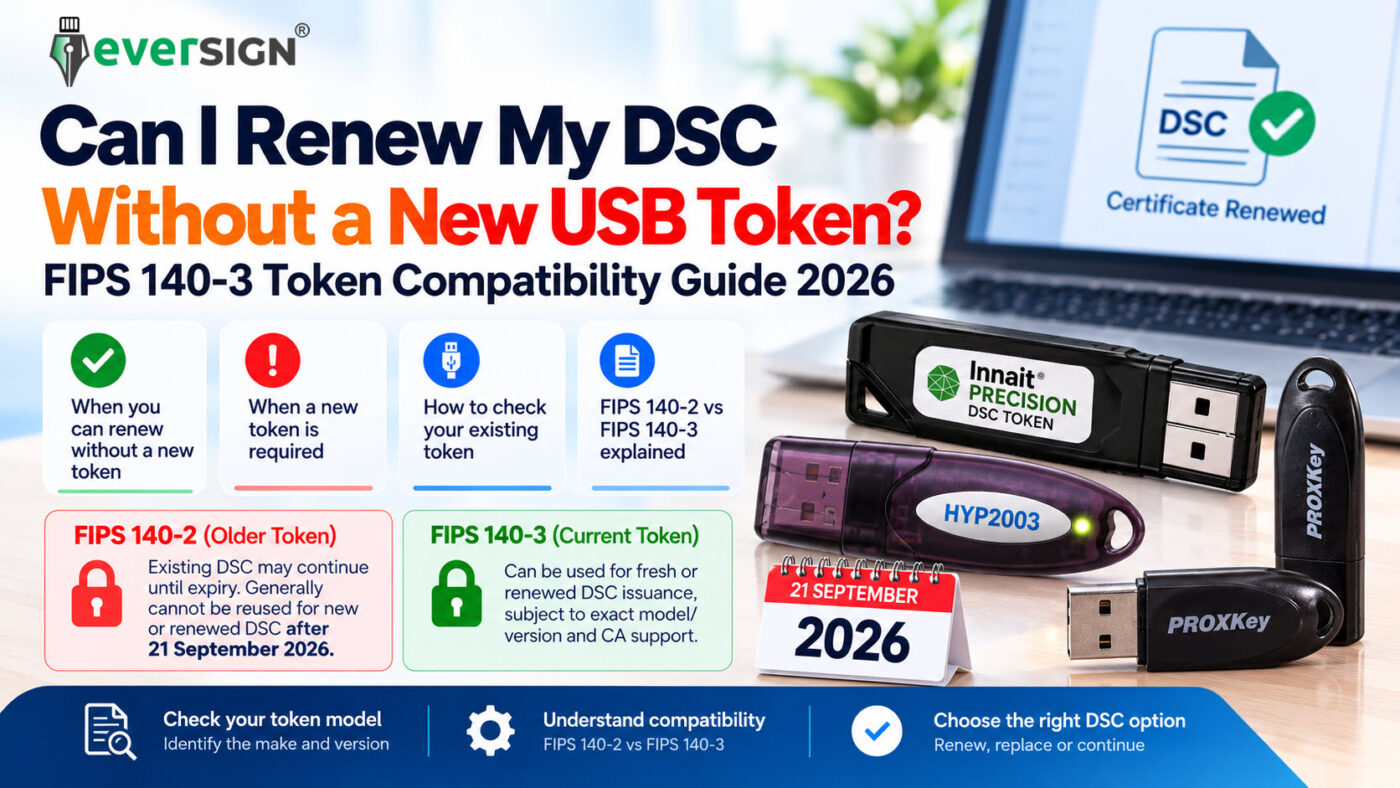
If your Digital Signature Certificate is approaching expiry, one of the first questions you may have is:
“Do I really need to buy another USB token when I renew my DSC?”
The answer in 2026 is:
Not always — but owning an existing USB token does not automatically mean that it can be reused for your next DSC.
After the 21 September 2026 FIPS transition, it is important to distinguish between:
- a USB token that can continue holding your existing valid DSC, and
- a USB token that is eligible for a fresh or renewed DSC download now.
A valid DSC already downloaded into an older FIPS 140-2 module on or before 21 September 2026 may continue working until that certificate expires. However, the Controller of Certifying Authorities (CCA) migration advisory states that those older modules generally cannot thereafter be used for an ordinary DSC renewal or fresh DSC download.
So before choosing a “Without Token” DSC renewal, you should first check exactly which USB token you already own.
This guide explains when you may renew a DSC without purchasing another token, when a new FIPS 140-3 token is required, and how to avoid selecting the wrong DSC variant.
Quick Answer: Do I Need a New USB Token for DSC Renewal?
Not necessarily.
You may be able to purchase a DSC Without Token if you already have a current compatible cryptographic USB token supported for the new DSC issuance.
However, you should generally choose a new token if:
- your existing token is an affected older FIPS 140-2 device;
- you cannot identify its exact model or generation;
- the token is lost, damaged or not working;
- the exact token version is not supported by the Certifying Authority issuing your new DSC; or
- you are unsure whether your existing hardware is suitable for fresh/renewed DSC download.
If you are uncertain, use the EVERSIGN® DSC Finder or confirm the token before placing a Without Token order.
What Does “DSC Without Token” Actually Mean?
A DSC Without Token does not mean that a USB cryptographic token is unnecessary.
It simply means that a new physical USB token is not included with the DSC order.
CCA’s current Security Requirements for Crypto Devices – Version 2.4 requires the subscriber’s private key, for the applicable DSC requirements, to be stored within an appropriate hardware cryptographic module.
In practical terms:
DSC Including Token
You obtain the Digital Signature Certificate together with a new compatible cryptographic USB token.
DSC Without Token
You obtain the Digital Signature Certificate without another physical token, because you already possess a suitable token that can be used for the new certificate.
The important word is:
Suitable.
Having any old DSC token at home or in your office does not automatically make a Without Token DSC the correct option.
Can I Renew My DSC Without Buying a New USB Token?
Yes — if you already have a suitable current token supported for the new DSC.
A Without Token renewal may be appropriate where your existing USB cryptographic device is:
- a current device suitable for post-transition DSC issuance;
- appropriately FIPS 140-3 validated for the applicable requirement;
- the exact product/version supported by the relevant Certifying Authority;
- functioning correctly;
- physically available to you for the DSC download; and
- supported by the required current middleware or token software.
If any of these points are unclear, check the token before ordering.
You can browse current renewal options here:
Browse DSC Renewal Options at EVERSIGN
Or, if you are unsure which DSC configuration you need:
When Do I Need a New USB Token for DSC Renewal?
The table below covers the most common situations.
| Your Situation | What You Should Do |
|---|---|
| Existing token is an older FIPS 140-2 module | Choose a suitable current token for the renewed DSC |
| Existing valid DSC still works in the FIPS 140-2 token | Continue using the current DSC until expiry where permitted; this does not make the token reusable for renewal |
| You already own a current supported FIPS 140-3 token | A Without Token DSC may be possible, subject to exact CA/device compatibility |
| You do not know the token model/version | Confirm before ordering Without Token |
| Token is lost | New token required |
| Token is physically damaged or not detected | New token will generally be required |
| You have an unused spare old token | Being unused does not automatically make it suitable |
| You are changing Certifying Authority | Check whether the exact token model/version is supported by the new CA |
| You know only the brand name | Do not assume compatibility from the brand alone |
The key principle is:
Whether your old DSC still works is a different question from whether the same hardware can receive your next DSC.
My Existing FIPS 140-2 DSC Still Works. Why Can’t I Use the Same Token for Renewal?
Because CCA treats these as two different situations.
Under the CCA Advisory on Migration from FIPS 140-2 to FIPS 140-3, DSCs downloaded into FIPS 140-2 modules on or before 21 September 2026 can remain operational until the DSC expires.
But after the cutoff, those modules generally cannot be used for renewal or fresh DSC download, apart from the specific exceptions prescribed by CCA.
So this situation is entirely possible:
Your current DSC works today: Yes.
The same old token can receive your next renewed DSC: Generally no, if it is an affected FIPS 140-2 module.
There is no contradiction.
The existing certificate is being allowed to complete its validity period. Your next renewed or fresh DSC is a new issuance event, and current device requirements apply.
For the complete transition explanation, read:
FIPS 140-3 DSC Token Rules Are Now Live: What Changes After 21 September 2026?
How Do I Know Whether My Existing USB Token Is Suitable?
This is where customers need to look beyond the brand printed on the plastic.
CCA’s current Security Requirements for Crypto Devices v2.4 requires Certifying Authorities to manage cryptographic-device products using details including:
- module name;
- OEM/manufacturer;
- hardware version;
- firmware version; and
- software version.
This means that knowing only the broad product-family name may not be enough.
For example:
“I have an HYP2003 token.”
is less precise than:
“I have the current HyperPKI HYP2003 HS Series and have confirmed that my exact device/version is supported for this DSC issuance.”
The same principle applies to other cryptographic-token product families.
How to Check Your Existing DSC USB Token Before Renewal
Before purchasing a DSC Without Token, check these points.
1. Check the Manufacturer and Exact Token Model
Identify the exact token.
Common examples include:
- HyperPKI / HyperSecu HYP2003
- Watchdata ProxKey
But do not stop at the brand name.
2. Check the Series or Generation
Older and newer generations can exist under related product names.
For example, EVERSIGN’s current HYP2003 product is specifically listed as the HyperPKI HYP2003 HS Series, with FIPS 140-3 Level 3 certification.
View HyperPKI HYP2003 HS Series FIPS 140-3 USB Token
3. Check the Token’s Device Information
Open the token-management software and review the available device information.
Depending on the token software, this can help identify:
- token model;
- serial number;
- firmware information; and
- certificate details.
CCA’s current device requirements also place importance on unique device identification and product/version information.
4. Check the Current Middleware or CSP
A suitable USB token still requires the correct software interface.
An old driver installed for an earlier-generation token should not automatically be assumed suitable for a newer version.
Always use the middleware intended for the exact token model/version.
5. Confirm Compatibility Before Ordering If You Are Unsure
If you cannot confidently identify the token, confirm it before choosing a Without Token DSC.
That is far better than discovering after the DSC application or KYC process that another USB token is required.
Is Any FIPS 140-3 USB Token Automatically Suitable?
Not necessarily.
Seeing “FIPS 140-3” on a product is important, but it should not be treated as the complete compatibility test.
CCA’s current crypto-device framework also deals with the specific cryptographic-device product/version used by Certifying Authorities.
Therefore, the better question is not merely:
“Is my token FIPS 140-3?”
The better question is:
“Is my exact FIPS 140-3 token model/version supported for this particular DSC issuance?”
This distinction matters especially when:
- changing Certifying Authority;
- reusing an existing token;
- using an older token from the same product family; or
- buying a DSC Without Token.
Does CCA Require Every New DSC Token to Be FIPS 140-3 Level 3?
Not exactly.
CCA’s current Security Requirements for Crypto Devices v2.4 refers to hardware cryptographic modules validated to FIPS 140-2/3 Level 2 or higher for the applicable requirement.
Therefore, it would not be accurate to make the blanket statement:
“CCA mandates FIPS 140-3 Level 3 for every DSC token.”
Individual products can nevertheless hold a higher certification level.
EVERSIGN currently offers current-generation products listed as FIPS 140-3 Level 3 certified, including:
HyperPKI HYP2003 HS Series
View HyperPKI HYP2003 HS Series
Watchdata ProxKey
View Watchdata ProxKey FIPS 140-3 Token
Or compare both:
Browse EVERSIGN Cryptographic PKI Tokens
I Have an Old HYP2003 Token. Can I Reuse It?
Do not decide based on the HYP2003 name alone.
This is particularly important because an older HYP2003 and the current HYP2003 HS Series should not automatically be treated as the same cryptographic-device version.
EVERSIGN’s current product listing is specifically for the HyperPKI HYP2003 HS Series, which is listed as FIPS 140-3 Level 3 certified.
View the Current HYP2003 HS Series
If your existing HYP2003 belongs to an older FIPS 140-2 generation affected by the September 2026 transition, it generally cannot now be reused for ordinary fresh or renewed DSC download.
If you possess the current FIPS 140-3 generation, confirm that the exact device/version is supported for the Certifying Authority through which your new DSC will be issued.
A useful rule is:
Same product-family name does not automatically mean the same current certified or supported token version.
I Already Have a ProxKey. Can I Renew Without Buying Another Token?
The same principle applies to ProxKey.
EVERSIGN’s current Watchdata ProxKey listing is for a device listed as FIPS 140-3 Level 3 certified.
View Current Watchdata ProxKey FIPS 140-3 Token
However, if you have owned a ProxKey for some time, do not assume solely from the “ProxKey” name that your existing device is the same current eligible version.
Confirm the exact token before selecting a DSC Without Token.
Can I Use a Token That Was Previously Used With Another Certifying Authority?
Possibly — but do not assume it.
The relevant question is whether the exact cryptographic-device product/version is supported for the new issuance by the Certifying Authority you are now using.
Therefore, if you are changing from one CA to another, check the token before placing a Without Token order.
This may apply when moving between DSC offerings from licensed Certifying Authorities available through EVERSIGN.
Can I Use an Empty or Spare Old USB Token?
Being unused does not automatically make an old token suitable.
A token may be:
- physically new;
- never previously loaded with a DSC; and
- still based on an older or unsupported cryptographic-device generation.
The relevant question is the current eligibility of the device, not how often it has been used.
Therefore, an unopened or spare older token should be checked just like a previously used one.
What If My Existing DSC Has Not Expired Yet?
If your existing DSC remains valid and falls within CCA’s transition provision, there is generally no need to replace it prematurely merely because it is stored in an older FIPS 140-2 module.
CCA states that eligible DSCs downloaded on or before 21 September 2026 can continue until the certificate expires.
So a practical approach is:
Current DSC still valid and working:
Continue using it.
Renewal approaching:
Check the existing token.
Existing token is an affected FIPS 140-2 device:
Plan for a suitable current token with the renewal.
This avoids both unnecessary early replacement and last-minute renewal problems.
What If My USB Token Is Lost, Damaged or Not Working?
A Without Token DSC only makes sense if you have a suitable usable token available.
If your device is:
- lost;
- physically damaged;
- not detected by the computer;
- inaccessible;
- defective; or
- otherwise unsuitable for the new DSC,
you should not place a Without Token order on the assumption that the old hardware can still be used.
In that situation, choosing a DSC with a suitable new USB token may be more appropriate.
Including Token vs Without Token: Which One Should I Choose?
Choose DSC Without Token When:
You already possess a current suitable FIPS 140-3 USB token whose exact model/version is supported for the new DSC issuance.
Choose DSC Including Token When:
- you do not own a suitable current USB token;
- your existing device is an affected FIPS 140-2 token;
- your token is lost, damaged or unusable;
- you cannot identify its exact model/version;
- compatibility with your chosen Certifying Authority is uncertain; or
- you simply want the DSC supplied with an appropriate current token.
Not Sure?
Do not guess.
Or review the available options:
Browse EVERSIGN DSC Renewal Products
5-Point DSC Renewal Token Check
Before choosing Without Token, ask yourself these five questions:
1. Do I physically have the USB token with me?
If the token is lost or unavailable, a Without Token DSC will not solve the hardware requirement.
2. Is it a current FIPS 140-3 device?
If it is an affected older FIPS 140-2 token, it generally cannot now receive an ordinary fresh/renewed DSC.
3. Do I know its exact model or series?
The broad brand or product-family name may not be enough.
4. Is that exact device/version supported for my chosen CA?
Support should be confirmed for the new DSC issuance.
5. Does the token work correctly with its current middleware?
Make sure the computer recognises the device and that appropriate current software is available.
If all five answers are Yes
A Without Token DSC may be appropriate.
If one or more answers are No or Unknown
Confirm compatibility before ordering, or choose an appropriate token-inclusive option.
Frequently Asked Questions
Can a DSC be renewed without buying a new USB token?
Yes.
If you already possess a suitable current cryptographic USB token supported for the new DSC issuance, you may not need to purchase another token.
A Without Token DSC simply means that another physical USB token is not included with the order.
Can I renew my DSC using my old FIPS 140-2 token?
For ordinary post-transition renewal, generally no.
CCA states that affected FIPS 140-2 modules may continue holding eligible existing DSCs downloaded by 21 September 2026 until those certificates expire, but generally cannot thereafter be used for an ordinary renewal or fresh DSC download.
Read the Official CCA Migration Advisory
My Old DSC Still Works. Does That Mean My Token Is Compatible With Renewal?
No.
These are two different issues.
Your existing DSC may continue working until expiry while the older token itself is no longer eligible for ordinary fresh or renewed DSC download.
Do I Need a New Token Every Time I Renew My DSC?
No.
There is no general rule that every DSC renewal automatically requires buying new hardware.
If you already have a suitable current token supported for the intended issuance, it may be reusable.
How Can I Tell Whether My Token Is FIPS 140-3?
Check the exact model, series and available device information, not just the manufacturer’s name.
If you are unsure, confirm the device before buying a Without Token DSC.
Is Any Token Marked FIPS 140-3 Automatically Acceptable?
Not necessarily.
The exact cryptographic-device product/version and support by the relevant Certifying Authority matter in addition to the underlying FIPS validation.
Is FIPS 140-3 Level 3 Compulsory?
CCA’s current crypto-device requirements refer to FIPS 140-2/3 Level 2 or higher for the applicable hardware requirement.
Some current tokens offered by EVERSIGN, including the HYP2003 HS Series and Watchdata ProxKey, are individually listed as FIPS 140-3 Level 3 certified.
Can I Use an Old Spare Token That Has Never Had a DSC?
Do not assume so.
The token’s current cryptographic-device eligibility matters more than whether it has previously been used.
Can I Buy a Without Token DSC for a Fresh DSC, Not Just Renewal?
Potentially yes.
If you already possess a suitable supported USB token for that fresh issuance, a Without Token option can be appropriate.
“Without Token” describes what physical hardware is included with the order; it does not necessarily mean the product is restricted only to renewal customers.
I Have an Old HYP2003. Should I Buy Without Token?
Do not decide from the HYP2003 name alone.
Confirm whether your exact device is the current supported generation suitable for the intended new DSC.
EVERSIGN’s current product is the HyperPKI HYP2003 HS Series, listed as FIPS 140-3 Level 3 certified.
View Current HYP2003 HS Series
I Have a ProxKey. Can I Reuse It?
Potentially, if the exact token is a current supported device for the new issuance.
Do not rely solely on the ProxKey name if the device has been owned for a long time.
View Current Watchdata ProxKey
Renewing Your DSC Now? Check the Token Before Ordering
After the 21 September 2026 transition, the important question is:
Do you already have the right USB token for your new DSC — not merely a token that still works with your old DSC?
If yes, a Without Token DSC may prevent you from buying unnecessary additional hardware.
If no — or if you are uncertain — check the device first.
Find the Right DSC
Renew Your DSC
Browse EVERSIGN DSC Renewal Options
Need a New FIPS 140-3 USB Token?
Browse EVERSIGN Cryptographic PKI Tokens
Compare Current DSC Prices
The Bottom Line
You do not automatically need to buy a new USB token every time you renew a Digital Signature Certificate.
But after the 21 September 2026 FIPS transition, simply owning an old working DSC token is no longer enough to conclude that the hardware can receive your next DSC.
An existing DSC downloaded into an affected FIPS 140-2 module on or before the cutoff may continue operating until its certificate expires. However, that same module generally cannot thereafter be reused for an ordinary fresh or renewed DSC download.
If you already own a current FIPS 140-3 cryptographic USB token, check its exact model/version and support by the relevant Certifying Authority before selecting Without Token.
The practical rule is simple:
Existing DSC still valid and working?
Keep using it until expiry where permitted.
Renewing or applying for a new DSC?
Check the token first.
Confirmed suitable current token?
A Without Token DSC may be appropriate.
Old, unknown, damaged or incompatible token?
Choose a suitable current USB token with the DSC.
Official Sources & Further Reading
Controller of Certifying Authorities (CCA)
Advisory on Migration from FIPS 140-2 to FIPS 140-3
Read the Official CCA Migration Advisory (PDF)
Controller of Certifying Authorities (CCA)
Security Requirements for Crypto Devices — Version 2.4, dated 14 August 2026
Read CCA Security Requirements for Crypto Devices v2.4 (PDF)
EVERSIGN®
FIPS 140-3 DSC Token Rules Are Now Live: What Changes After 21 September 2026?
Read EVERSIGN’s Complete FIPS 140-3 Transition Guide
About EVERSIGN®
EVERSIGN® assists individuals, professionals and organisations with Digital Signature Certificate selection, application, KYC, download and support through multiple Certifying Authorities licensed by the Controller of Certifying Authorities (CCA), Government of India.
EVERSIGN also provides cryptographic USB-token options and guidance to help customers determine whether an existing token can be reused or whether a new token should be selected with the DSC.
Digital Signature Certificates are issued by the respective licensed Certifying Authority. EVERSIGN is not a Certifying Authority or the Controller of Certifying Authorities.
This article provides general informational guidance based on the official sources linked above. Exact cryptographic-device support can depend on the relevant Certifying Authority, product/version and current issuance process.
