

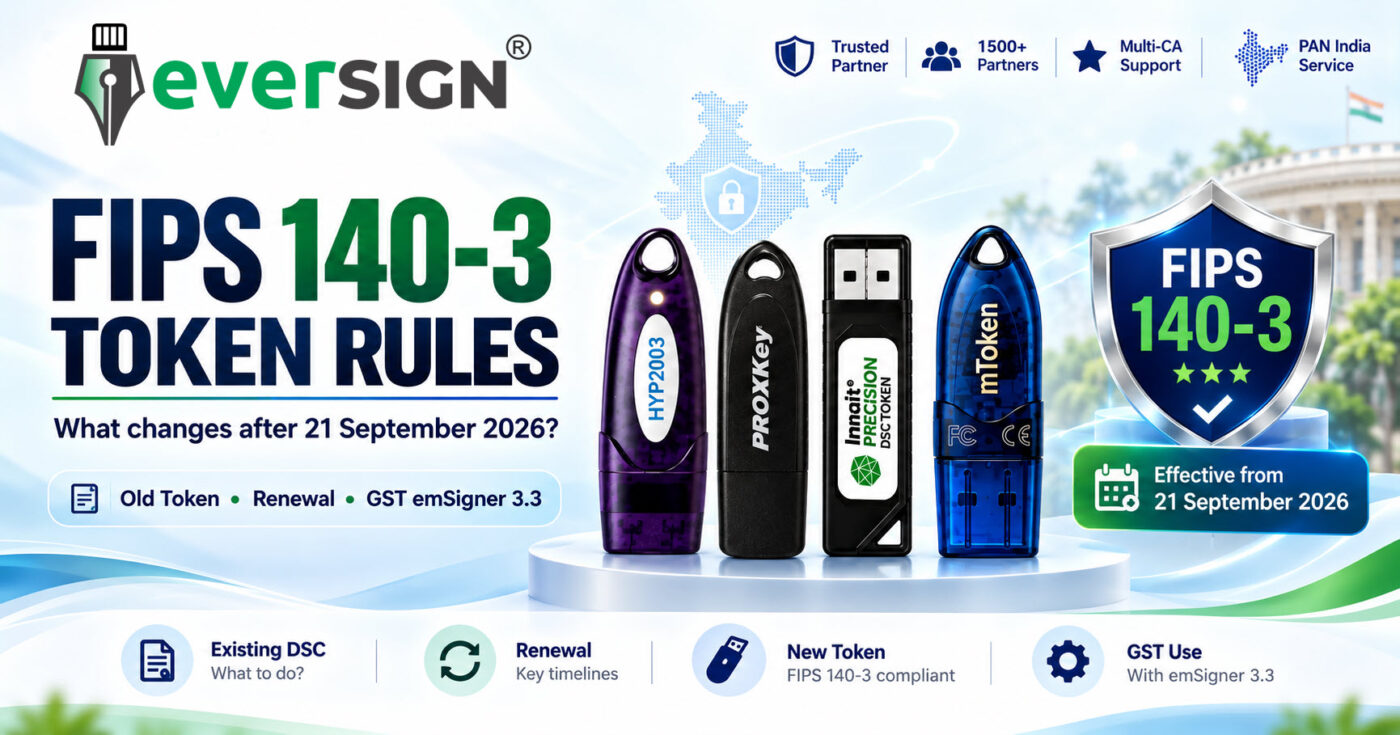
India’s Digital Signature Certificate (DSC) ecosystem has now crossed an important transition date.
21 September 2026 has passed, and the Controller of Certifying Authorities (CCA) transition from FIPS 140-2 towards FIPS 140-3 cryptographic modules is now in effect for new DSC issuance.
Under CCA’s official migration advisory, Certifying Authorities (CAs) were required to stop issuing DSCs in FIPS 140-2 modules by 21 September 2026, subject to the specific exceptions prescribed by CCA. CCA
But this does not mean that every existing FIPS 140-2 USB token or Digital Signature Certificate suddenly became unusable on 21 September.
CCA specifically states that a DSC downloaded into a FIPS 140-2 module on or before 21 September 2026 can remain operational until that DSC expires. What changes after the cutoff is the ability to use that older module for an ordinary DSC renewal or fresh DSC download. CCA
There is another important point users should understand: DSC signing software is portal-specific. emSigner, emBridge and similar signing components are used across multiple government systems, but the required utility and version are not necessarily the same everywhere.
For example, GSTN has specifically introduced emSigner version 3.3 for compatibility with newly issued DSC USB tokens on the GST Portal, while Income Tax, MCA and DGFT publish their own DSC utility requirements. Goods and Services Tax System
This updated guide explains exactly what DSC users should know after 21 September 2026—including old-token validity, renewal, FIPS 140-3 requirements and what the GST emSigner 3.3 update actually means.
What Changed After 21 September 2026?
CCA’s Advisory on Migration from FIPS 140-2 to FIPS 140-3 establishes the transition path for cryptographic modules used within India’s PKI ecosystem.
CCA states that Certifying Authorities should ensure that issuance of DSCs in FIPS 140-2 modules stops by 21 September 2026. CCA
That deadline has now passed.
For normal DSC users, the practical position is:
- A DSC already downloaded into a FIPS 140-2 module on or before 21 September 2026 can continue until its certificate expires.
- An existing valid DSC did not automatically expire on 21 September 2026.
- The FIPS 140-2 module generally cannot now be used for an ordinary DSC renewal.
- It generally cannot now be used for a fresh DSC download.
- CCA provides limited exceptions for qualifying reissuance and certain Government-organisation cases.
Read the Official CCA Advisory on Migration from FIPS 140-2 to FIPS 140-3
CCA has also published Security Requirements for Crypto Devices, Version 2.4, dated 14 August 2026. The document includes the current security and audit requirements applicable to cryptographic devices used for DSC purposes and specifically addresses the post-21 September treatment of devices with historical FIPS 140-2 status. CCA
Read CCA Security Requirements for Crypto Devices – Version 2.4
Does My Existing FIPS 140-2 DSC Still Work?
Yes — if the DSC itself remains valid and was downloaded by the cutoff.
This is the most important clarification for existing DSC holders.
CCA states that DSCs downloaded into FIPS 140-2 modules on or before 21 September 2026 will remain in operation until the expiry of the DSC. CCA
Therefore, 21 September 2026 was not a mass-expiry date for existing DSCs.
If you currently have:
- a valid DSC;
- downloaded into your token on or before 21 September 2026;
- an existing FIPS 140-2 USB token; and
- a DSC/token combination that continues to work normally,
you do not have to replace the existing DSC merely because the transition date has passed.
The important distinction is:
Existing valid DSC:
It can continue until its certificate expiry under the CCA transition provision.
Fresh DSC or renewal after the transition:
The old FIPS 140-2 module generally can no longer be used for the new certificate download.
In simple terms:
Your existing DSC may still work perfectly. The old token may simply not be reusable for your next DSC.
Can I Renew My DSC on My Old FIPS 140-2 Token?
For an ordinary post-transition renewal, generally no.
CCA states that a DSC downloaded into a FIPS 140-2 module by the cutoff can continue until expiry, but the module is no longer to be used for renewal or fresh download of a DSC thereafter, except where CCA specifically permits otherwise. CCA
This makes the “Including Token” versus “Without Token” choice particularly important during DSC renewal.
Previously, a customer who already possessed a working token might naturally choose a DSC renewal without a new token.
After the FIPS transition, having an old working token is not by itself sufficient.
Before ordering a “Without Token” DSC, check:
- the exact make and model of your existing cryptographic USB token;
- whether it is a current device suitable for post-transition DSC issuance;
- whether the required current middleware/CSP is available; and
- whether the relevant Certifying Authority supports that particular device for the DSC being issued.
If you are unsure which DSC, applicant type, validity or token option you require, EVERSIGN’s DSC Finder can help narrow the available options before purchase.
Find the Right DSC with EVERSIGN® DSC Finder
Browse DSC Renewal Options at EVERSIGN
Does This Mean Every Old FIPS 140-2 Token Is Now Useless?
No.
Two separate questions need to be considered.
1. Can I continue using the valid DSC already stored in my old token?
Yes, where the DSC was downloaded by the cutoff and remains valid.
If the certificate and token are functioning normally, the transition does not require you to stop using that DSC simply because 21 September 2026 has passed. CCA
2. Can I use the same FIPS 140-2 token for my next fresh or renewed DSC?
Generally no.
Under CCA’s post-transition position, that old module generally cannot now be used for ordinary renewal or fresh DSC download. CCA
So users should neither:
- unnecessarily discard a working DSC before its expiry; nor
- assume that an old FIPS 140-2 token can automatically be reused for their next DSC.
What If My Existing Active DSC Needs Reissuance?
CCA has provided a specific reissuance exception.
Where an active DSC requires reissuance to the same user, CCA permits a Certifying Authority, after following due process, to issue the DSC in the FIPS 140-2 module on or after 21 September 2026 for the remaining validity of that DSC.
CCA describes this as:
- a reissuance to the same user;
- for the remaining validity of the existing DSC;
- one time only; and
- without cost to the user for the qualifying reissuance. CCA
This is not the same as DSC renewal.
A renewal provides a new certificate validity period. The CCA exception applies to qualifying reissuance of an already-active DSC for its remaining validity.
Users requiring reissuance should therefore follow the procedure prescribed by their issuing Certifying Authority.
Is There Any Exception for Government Organisations?
Yes, but it is a narrowly defined exception and does not apply generally to businesses or individual subscribers.
CCA permits certain Government organisations to continue using FIPS 140-2 modules in specified circumstances, subject to conditions including the organisation’s security policy, a risk and compliance waiver and approval from the concerned Ministry.
CCA states that this exception cannot continue beyond 21 September 2029. CCA
This provision should therefore not be interpreted as a general extension of FIPS 140-2 for normal DSC issuance or renewal.
Why Has the DSC Ecosystem Moved to FIPS 140-3?
FIPS 140-3 is the newer security standard for cryptographic modules and supersedes FIPS 140-2 for new module validations.
CCA’s migration advisory explains that FIPS 140-3 aligns cryptographic controls with ISO/IEC 19790:2012 and ISO/IEC 24759:2017 and identifies enhancements relating to areas such as:
- non-invasive attack mitigation;
- software-module validation;
- entropy and random-bit generation;
- lifecycle assurance;
- cryptographic assurance and resilience; and
- modern platform requirements. CCA
For an ordinary DSC user, the practical reason is straightforward:
your USB cryptographic token protects the private key associated with your Digital Signature Certificate.
That private key is used to create the digital signature, and protecting it against unauthorised access or extraction is fundamental to the security of the DSC.
CCA’s current crypto-device requirements address areas including user authentication, physical security, cryptographic algorithms, key entry/output, key zeroisation, operating-system security, application integrity and private-key protection. CCA
Is FIPS 140-3 Level 3 Mandatory for Every DSC Token?
This is an important distinction.
FIPS 140-3 and FIPS 140-3 Level 3 should not automatically be treated as identical requirements.
CCA’s current Security Requirements for Crypto Devices v2.4 states that the subscriber’s private key should be stored within a Hardware Cryptographic Module validated to FIPS 140-2/3 Level 2 or higher for the applicable DSC requirement. CCA
Therefore, the blanket statement:
“CCA mandates FIPS 140-3 Level 3 for every DSC token”
would not accurately reflect the wording of CCA’s current document.
Individual devices can, however, carry a higher FIPS validation level.
For example, the current HyperPKI HYP2003 HS Series and Watchdata ProxKey products offered on EVERSIGN are listed as FIPS 140-3 Level 3 certified. Eversign
View HyperPKI HYP2003 HS Series – FIPS 140-3 Level 3 Certified
View Watchdata ProxKey – FIPS 140-3 Level 3 Certified
Browse Cryptographic PKI Tokens at EVERSIGN
emSigner Is Not Just a GST Utility — But the Required Software Depends on the Portal
There is considerable confusion around emSigner, emBridge and DSC signing utilities.
emSigner should not be described as something that exists only for GST.
Different Indian government and statutory portals use browser-to-token signing components for DSC operations, and the required utility, version and configuration can differ from one portal to another.
The Income Tax Department, for example, describes emsigner as a utility required for DSC registration and specifically notes that it has different versions suitable for different websites. Its current download area identifies its DSC Management Utility as emBridge. Income Tax Department
MCA’s official DSC-registration instructions for the MCA21 V3 portal tell users to download EMSIGNER and EMBRIDGE both for DSC registration. Ministry of Corporate Affairs
DGFT’s official DSC-registration documentation instructs users to install the required USB-token driver and its documented eMBridge digital-signature utility before using a DSC on the DGFT system. DGFT Content
The important rule for users is therefore:
Do not assume that one emSigner/emBridge version is universally required by every government portal. Always use the signing utility and version currently prescribed by the specific portal where the DSC will be used.
So What Exactly Changed With emSigner 3.3?
The recent emSigner 3.3 announcement is specifically a GSTN development for the GST Portal.
GSTN’s official helpdesk lists an “Advisory on use of version 3.3 of emSigner” dated 19 September 2026. Goods and Services Tax System
The advisory states that emSigner v3.3 is being made available to provide compatibility with USB DSC tokens issued on or after 21 September 2026. Published reproductions of the GSTN advisory also state that v3.3 is backward-compatible with existing tokens and that newly issued tokens after the cutoff require the updated version for GST use. Tech Chartered
This means:
emSigner 3.3 is a confirmed GST Portal requirement/update. It should not automatically be described as the required version for MCA, Income Tax, DGFT or every other DSC-enabled portal.
Each portal’s own current instructions should be followed.
Open the Official GST Helpdesk – GSTN Advisories
Open the Official GST emSigner Download Page
Existing DSC Working on GST? You May Not Need to Change Anything
GSTN’s September advisory distinguishes between existing working DSCs and newly issued tokens.
For users who already had:
- a valid DSC; and
- an existing working USB token as of 21 September 2026,
GSTN says there is no change if the existing setup continues to work normally. Such users may continue with their existing emSigner version. Tech Chartered
If the existing DSC:
- fails during signing; or
- does not appear for selection despite the correct token driver being installed,
GSTN advises upgrading to emSigner 3.3.
The advisory states that emSigner 3.3 is backward compatible with existing USB tokens. Tech Chartered
So the practical rule is:
Do not disturb a working GST DSC setup merely because 21 September has passed. Upgrade where required.
New DSC Token Issued on or After 21 September 2026? Check emSigner 3.3 for GST
If you received a new USB token on or after 21 September 2026, GSTN’s advisory becomes directly relevant.
This can include:
- a newly issued DSC supplied with a new token; or
- a renewed DSC downloaded into a new dongle.
For these users, GSTN’s advisory says the GST setup should be upgraded to emSigner version 3.3. Tech Chartered
If your newly issued DSC works in the token-management software but is not appearing on the GST Portal, checking the installed emSigner version should therefore be one of the first troubleshooting steps.
What About Income Tax, MCA, DGFT and Other Portals?
The FIPS 140-3 transition concerns the cryptographic module used for the DSC, while the software required to communicate with that token can depend on the portal.
That means two separate compatibility checks may now matter:
1. Is the USB cryptographic token suitable for the DSC being issued?
This is governed by the applicable CCA/CA/device requirements.
2. Is the correct signing/bridge utility installed for the portal?
This depends on the portal itself.
For example:
Income Tax e-Filing:
The Income Tax Department’s current guidance requires a DSC signing utility for DSC registration and currently directs users to its DSC Management Utility/emBridge. Income Tax Department
Income Tax – Register Digital Signature Certificate Guidance
MCA21 V3:
MCA’s DSC-registration instructions specify emSigner/emBridge requirements for its DSC association workflow. Ministry of Corporate Affairs
MCA – DSC Registration on MCA21 V3 Portal (PDF)
DGFT:
DGFT’s official guidance documents the required token driver and eMBridge setup for DSC use on its portal. DGFT Content
DGFT – Digital Signature Registration Guide (PDF)
Therefore, users should not install a particular emSigner version simply because it works on another portal.
Check the current instructions of the portal you actually intend to use.
New DSC Not Detected? Check These Things Before Blaming the Token
If a newly issued or renewed DSC is not being detected on a government portal, troubleshoot the complete chain.
1. Check Whether the Computer Detects the USB Token
Connect the cryptographic token and open its token-management utility.
Make sure the device is visible.
2. Install the Correct Token Driver or Middleware
Use the software intended for the exact token model and series.
Avoid downloading drivers from unknown third-party websites.
3. Confirm That the DSC Is Present Inside the Token
Open the token utility and check that the certificate has actually been downloaded and is visible.
4. Check the DSC Validity
Make sure the certificate has not expired and that you are selecting the correct certificate where multiple certificates are present.
5. Install the Utility Required by the Particular Portal
Do not treat GST, MCA, Income Tax and DGFT as having identical software requirements.
Follow that portal’s current instructions.
6. For a New Token on GST, Check emSigner 3.3
If the USB token was issued on or after 21 September 2026 and you are using it on GST, install the current GST emSigner version prescribed by GSTN.
7. Restart the Signing Utility
After installation or upgrade, verify that the signing/bridge service is actually running.
8. Check Portal-Specific DSC Registration
Some portals require the new DSC to be registered, re-registered or associated with the relevant account/user before signing.
What Should Existing DSC Users Do Now?
Now that 21 September 2026 has already passed, the correct action depends on your situation.
Your Existing DSC Is Valid and Working
Continue using it.
You do not need to replace an eligible existing DSC solely because it is stored in an older FIPS 140-2 token.
CCA permits DSCs downloaded by the cutoff to continue until their certificate expiry. CCA
Your DSC Is Approaching Expiry
Check the token before ordering your renewal.
Do not automatically select a “Without Token” renewal merely because you already own a USB token.
If the existing device is a legacy FIPS 140-2 module, it generally cannot now be used for the renewed DSC download.
Browse DSC Renewal Options at EVERSIGN
You Are Applying for a New DSC
Choose the appropriate:
- certificate type;
- applicant type;
- validity;
- Certifying Authority option; and
- compatible cryptographic token where required.
If you are unsure whether your requirement calls for Signature, Signature + Encryption Combo, Individual, Organisation or another configuration, use the EVERSIGN® DSC Finder before ordering.
You Need Only a New USB Crypto Token
For a new purchase now, select a current device suitable for post-transition DSC issuance rather than buying obsolete FIPS 140-2 hardware for future fresh DSC use.
CCA also advised cryptographic-module OEMs and distributors to publish exchange or buy-back policies relating to replacement of FIPS 140-2 modules with FIPS 140-3 modules. CCA
EVERSIGN currently lists two FIPS 140-3 Level 3 certified options:
HyperPKI HYP2003 HS Series
EVERSIGN currently lists the HyperPKI HYP2003 HS Series as a FIPS 140-3 Level 3 certified cryptographic USB token. Eversign
View HyperPKI HYP2003 HS Series
Watchdata ProxKey
EVERSIGN currently lists the Watchdata ProxKey as a FIPS 140-3 Level 3 certified cryptographic USB token. Eversign
View Watchdata ProxKey FIPS 140-3 Token
Browse All EVERSIGN Cryptographic PKI Tokens
FIPS 140-2 vs FIPS 140-3 After 21 September 2026
| Question | FIPS 140-2 Token | Current FIPS 140-3 Token |
|---|---|---|
| Older or newer standard? | Older | Newer |
| Existing eligible DSC downloaded by 21 Sept 2026 | Can continue until DSC expiry | Can be used subject to normal certificate validity |
| Did existing DSCs automatically expire on 21 Sept? | No | No |
| Ordinary fresh DSC download after cutoff | Generally no | Current direction, subject to device/CA requirements |
| Ordinary renewal after cutoff | Generally no | Subject to device/CA requirements |
| Should a working old DSC be immediately discarded? | No | — |
| What should normally be considered when buying a new token now? | Legacy/transition use | Current FIPS 140-3 device |
CCA’s current crypto-device rules should always be considered together with the supported-device requirements of the relevant Certifying Authority. CCA
Frequently Asked Questions
Did FIPS 140-2 DSC Tokens Stop Working on 21 September 2026?
No.
CCA states that a DSC downloaded into a FIPS 140-2 module on or before 21 September 2026 can continue operating until that DSC expires. CCA
Can I Continue Using My Old Token Until My DSC Expires?
Yes, where the existing DSC falls within CCA’s transition provision and continues to work normally.
The key restriction applies when you require a renewal or fresh DSC download.
Can I Renew a DSC on My Old FIPS 140-2 Token Now?
For an ordinary post-transition renewal, generally no.
CCA says those modules should no longer be used for renewal or fresh DSC download after the cutoff, subject to its specified exceptions. CCA
Do I Need to Buy a New Token Immediately?
Not merely because the transition date has passed.
If your existing DSC remains valid and operational, there is no reason to prematurely replace it solely because it is stored in an eligible FIPS 140-2 module.
A new suitable token becomes relevant when you obtain your next fresh or renewed DSC.
Can I Select “Without Token” When Renewing My DSC?
Yes—but only if you already have a suitable token that can be used for the new certificate.
Do not select a without-token DSC merely because you possess an older USB token.
Check Your Requirement with EVERSIGN® DSC Finder
Is FIPS 140-3 Level 3 Mandatory for Every DSC Token?
CCA’s current crypto-device requirements refer to FIPS 140-2/3 Level 2 or higher for the applicable hardware cryptographic-module requirement.
Accordingly, saying that CCA universally mandates Level 3 would be an overstatement. CCA
Individual devices can nevertheless be certified at Level 3.
Is emSigner Only Used for GST?
No.
DSC signing/bridge utilities are used across different government portals. Income Tax, MCA and DGFT also document such software within their DSC workflows. However, the exact utility and version can vary by portal. Income Tax Department
Is emSigner 3.3 Required on Every Government Portal?
No universal requirement has been established by the sources reviewed.
The emSigner 3.3 announcement is specifically a GSTN advisory for the GST Portal. MCA, Income Tax, DGFT and other systems should be used with the signing utility/version currently prescribed by their respective portal. Goods and Services Tax System
Do Existing GST Users Need emSigner 3.3 Immediately?
Not if their existing valid DSC, USB token and current signing setup continue to work normally.
GSTN’s advisory says existing working users may continue with their current version. Users encountering signing failures or certificate-selection problems can upgrade to v3.3, which the advisory describes as backward compatible with existing tokens. Tech Chartered
I Received a New Token After 21 September 2026. Do I Need emSigner 3.3 on GST?
According to GSTN’s advisory, yes for GST use where a new token has been issued on or after 21 September 2026, including relevant new-certificate and renewal-in-new-dongle cases. Tech Chartered
Download the Current Signing Utility from the Official GST Portal
Which FIPS 140-3 USB Tokens Does EVERSIGN Currently Offer?
EVERSIGN currently lists:
- HyperPKI HYP2003 HS Series — FIPS 140-3 Level 3 certified
- Watchdata ProxKey — FIPS 140-3 Level 3 certified Eversign
Compare EVERSIGN FIPS 140-3 Cryptographic USB Tokens
Renewing Your DSC After 21 September 2026? Check Your Token Before Ordering
Now that the FIPS transition date has passed, one purchase decision deserves particular attention:
Do you need your DSC renewal with a new USB token or without one?
If you already own a current suitable token supported for the new DSC, a without-token option may still be appropriate.
But if the token holding your existing DSC is a legacy FIPS 140-2 module, do not assume it can hold your renewed certificate merely because the existing DSC still works.
Checking the token before ordering can help avoid:
- selecting the wrong DSC variant;
- delays during certificate download;
- discovering after approval that another token is required; and
- unnecessary compatibility troubleshooting.
Not Sure Which DSC You Need?
Use the Free EVERSIGN® DSC Finder
Need to Renew Your DSC?
Browse EVERSIGN DSC Renewal Options
Need a New FIPS 140-3 USB Token?
Browse EVERSIGN Cryptographic PKI Tokens
Want to Compare Current DSC Prices?
View the EVERSIGN DSC Price List
The Bottom Line
21 September 2026 has passed, and the FIPS 140-3 transition is now part of the current DSC environment. But the cutoff was not an expiry date for every existing FIPS 140-2 DSC.
If an eligible DSC was downloaded into a FIPS 140-2 module on or before the cutoff and remains valid, CCA says that DSC can continue operating until its certificate expires. CCA
The major change appears when you need your next DSC.
For ordinary fresh issuance or renewal after the transition, an old FIPS 140-2 module generally can no longer be reused for the new DSC download. Before selecting a “Without Token” option, verify whether your existing device is suitable.
There is also an important software distinction:
emSigner is not GST-only, but emSigner 3.3 is specifically a GSTN update. Income Tax, MCA, DGFT and other DSC-enabled systems can have their own current signing utilities and requirements, so users should follow the instructions of the particular portal being used. Goods and Services Tax System
The practical rule is therefore:
Keep using a valid DSC that still works. Check your USB token before your next DSC renewal. Use a suitable current FIPS 140-3 device when a new token is required. And always use the signing utility prescribed by the portal where you intend to use the DSC.
Official Sources & Further Reading
Controller of Certifying Authorities (CCA), Ministry of Electronics and Information Technology
Advisory on Migration from FIPS 140-2 to FIPS 140-3
Read the Official CCA Migration Advisory (PDF)
Controller of Certifying Authorities (CCA)
Security Requirements for Crypto Devices — Version 2.4, dated 14 August 2026
Read the Official CCA Crypto Device Requirements (PDF)
Goods and Services Tax Network (GSTN)
Advisory on use of version 3.3 of emSigner — 19 September 2026
Visit the Official GST Helpdesk and Advisory Portal
Official GST emSigner Download Page
Income Tax Department
Register Digital Signature Certificate – Official Guidance
Ministry of Corporate Affairs (MCA)
DSC Registration on MCA21 V3 Portal – Official Guide (PDF)
Directorate General of Foreign Trade (DGFT)
Digital Signature Registration – Official DGFT Guide (PDF)
About EVERSIGN®
EVERSIGN® assists individuals, professionals and organisations with Digital Signature Certificate selection, application, KYC, download and support through multiple Certifying Authorities licensed by the Controller of Certifying Authorities (CCA), Government of India.
EVERSIGN also provides compatible cryptographic USB-token options and guidance to help customers select the appropriate DSC configuration for their intended use.
Digital Signature Certificates are issued by the respective licensed Certifying Authority. EVERSIGN is not a Certifying Authority or the Controller of Certifying Authorities.
This article is intended as general informational guidance based on the official sources cited above. CCA requirements, CA procedures, cryptographic-device support and individual government-portal software requirements may change. Users should refer to the latest instructions of the relevant authority or portal where necessary.
